
Assemble
Assemble
  • Docs
  • Changelog
  • Feature requests
Docs / Files

Delete a File

Learn how to delete any file within your project.
  1. To delete any file, open the file and click the Three-Dot Menu in the top right corner, then select Delete.
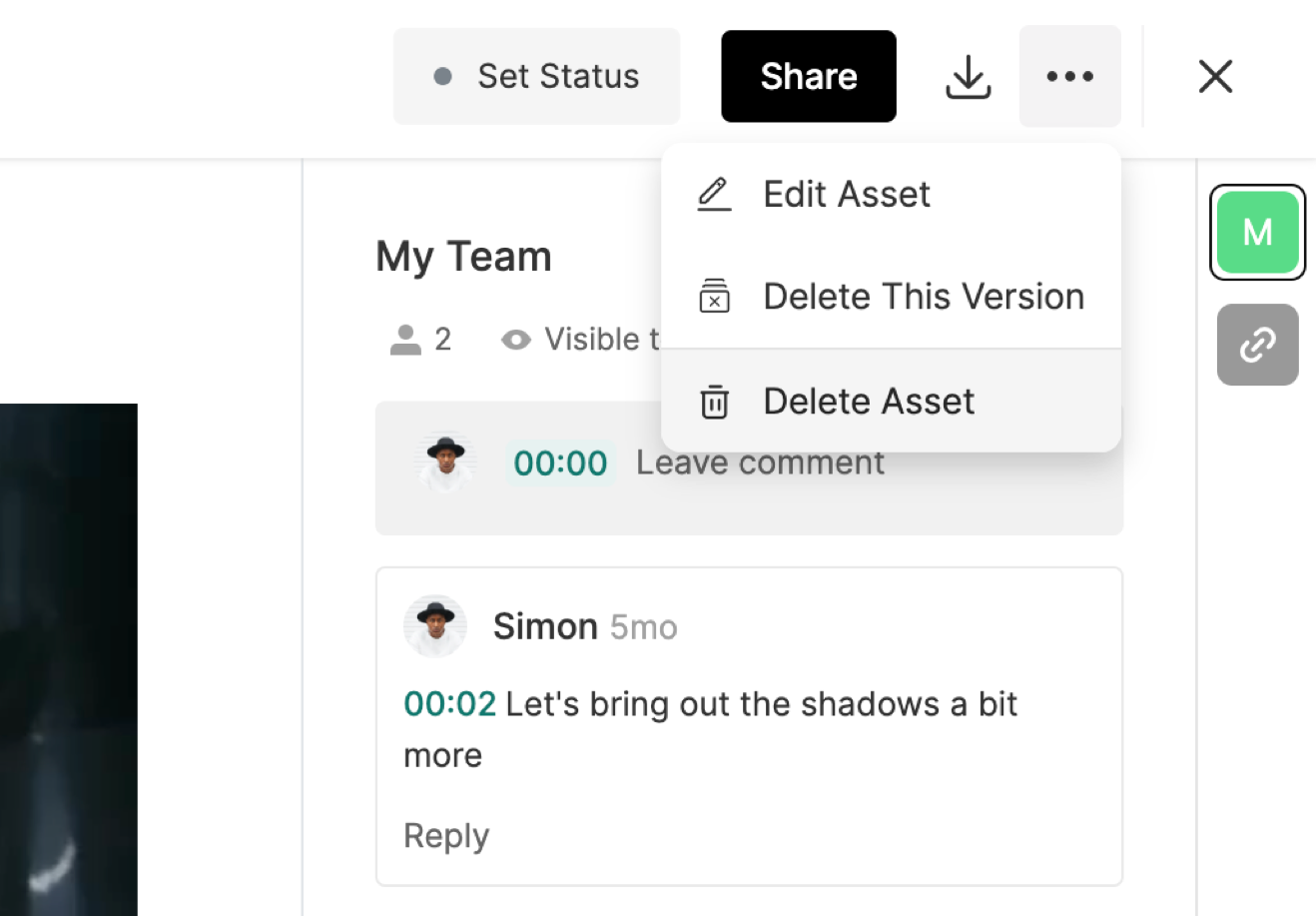
    NOTE: If you want to delete the current version of a file, without deleting the entire file, select Delete This Version to only remove the current version.

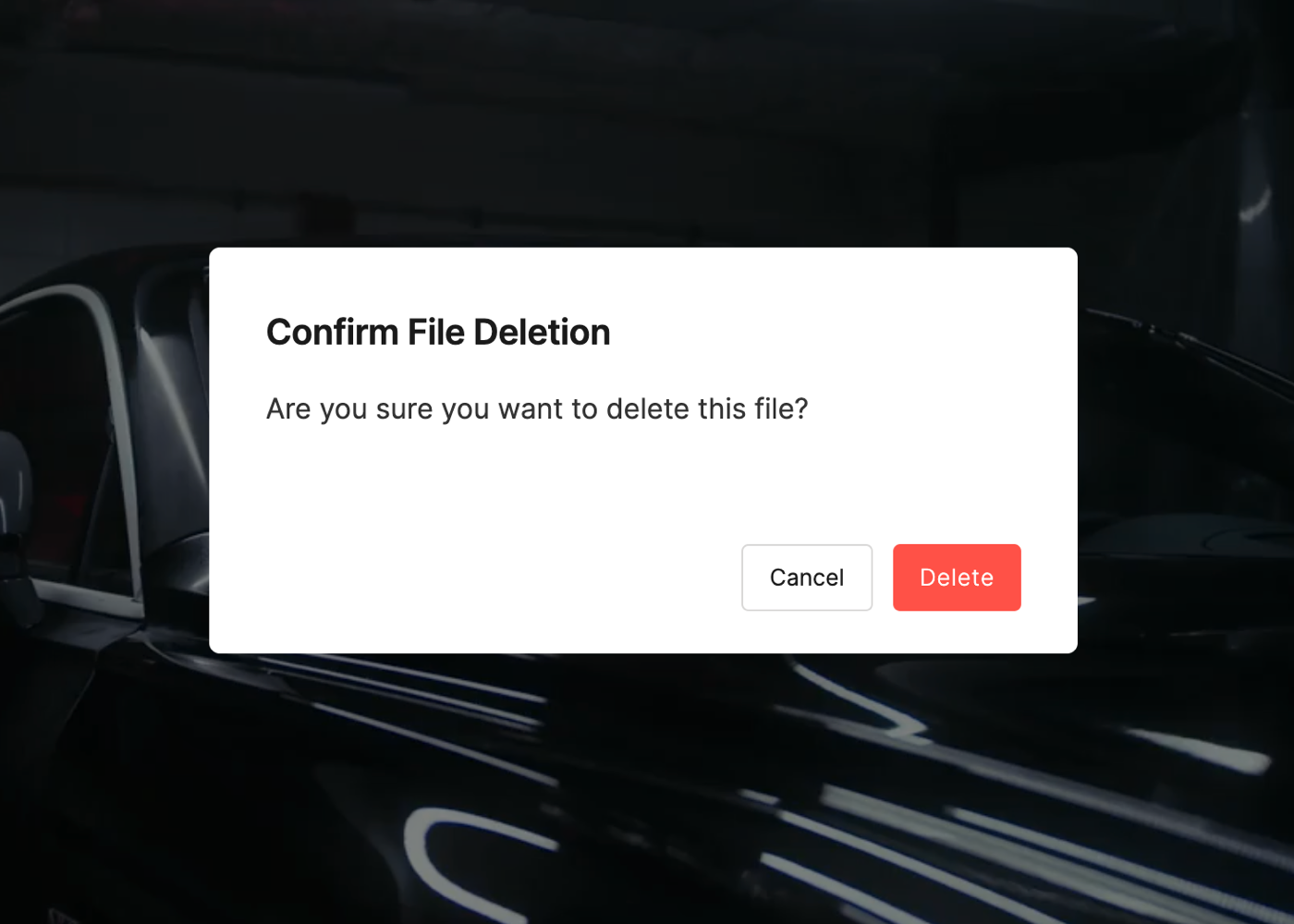
  2. On the confirmation screen, select Delete again to permanently remove the file or version.
To learn how to download files, click here.

PrevFile Upload Recommendations
NextLeaving Feedback on Files
Was this helpful?
    • Types of Files in Assemble
    • Upload Assets
    • Create Galleries
    • Add Bookmark Links
    • Use Submissions to Manage Approvals
    • Adding Phases to your Project
    • Create Subfolders
    • Search for Files
    • Add a Thumbnail to a File
    • Upload New Versions of Assets
    • Download Files & Permissions
    • Change a File Name
    • Inviting Teammates to your Files
    • Share a Review Link of a File
    • Share a Review Link of a Folder
    • File Upload Recommendations
    • Delete a File