

What Happens When I Delete a Workspace
When you delete a workspace, all projects within the workspace including their members, files, comments and associated data will be permanently deleted.
There is no way to recover the projects once the workspace has been deleted.
Deleting a Workspace
To delete your workspace, open the Project Dashboard and click the Profile Icon in the top right.
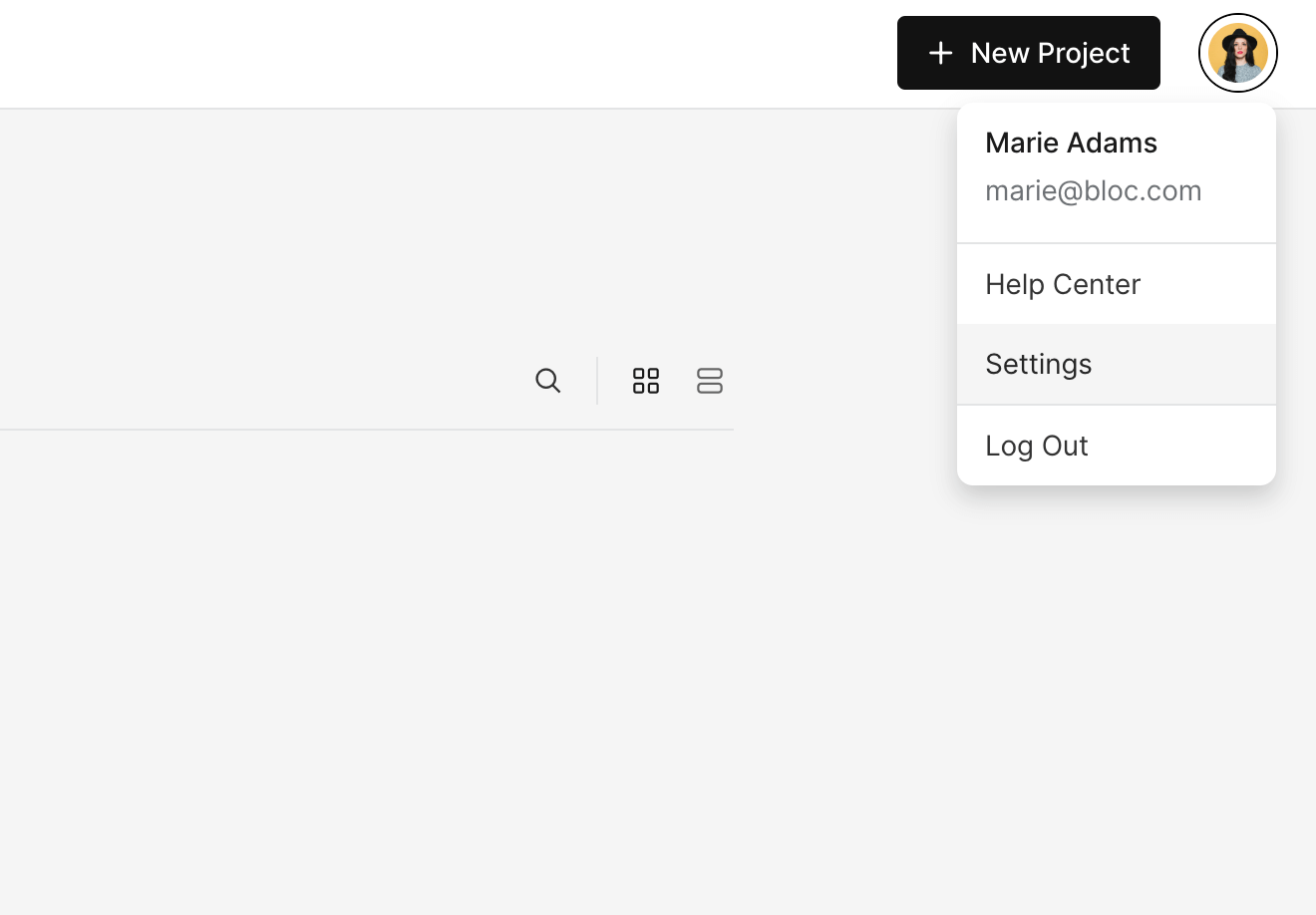
Next, click Settings and select General.
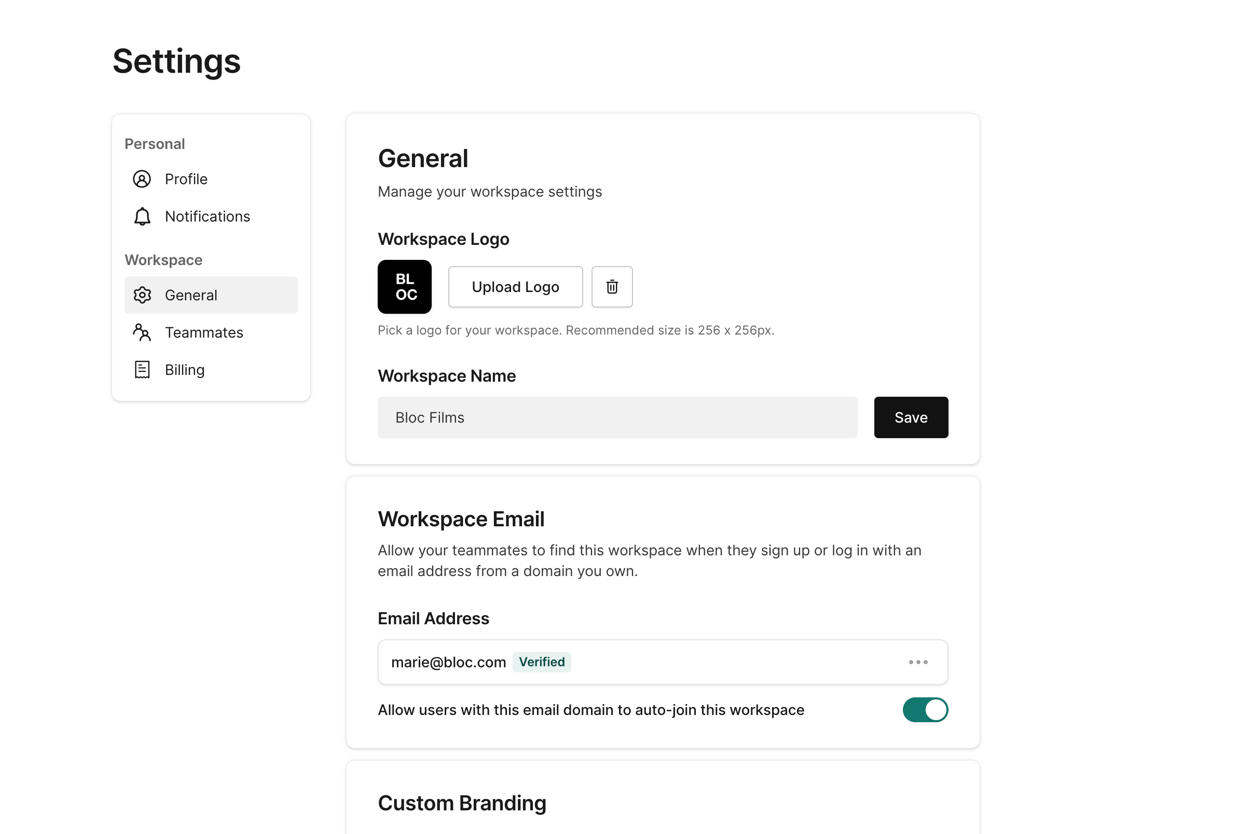
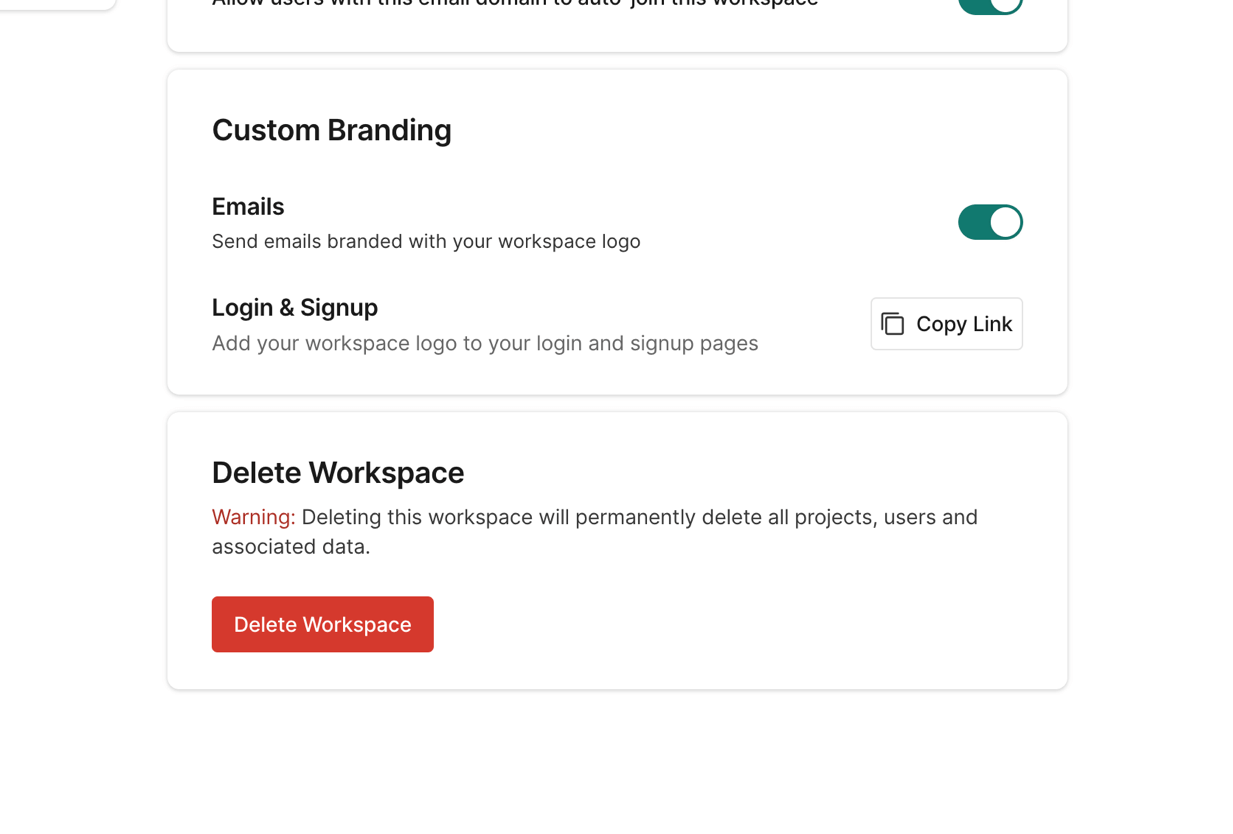
Scroll to the bottom and click Delete Workspace.
Confirm that you want to delete your workspace by typing DELETE and then click Delete.
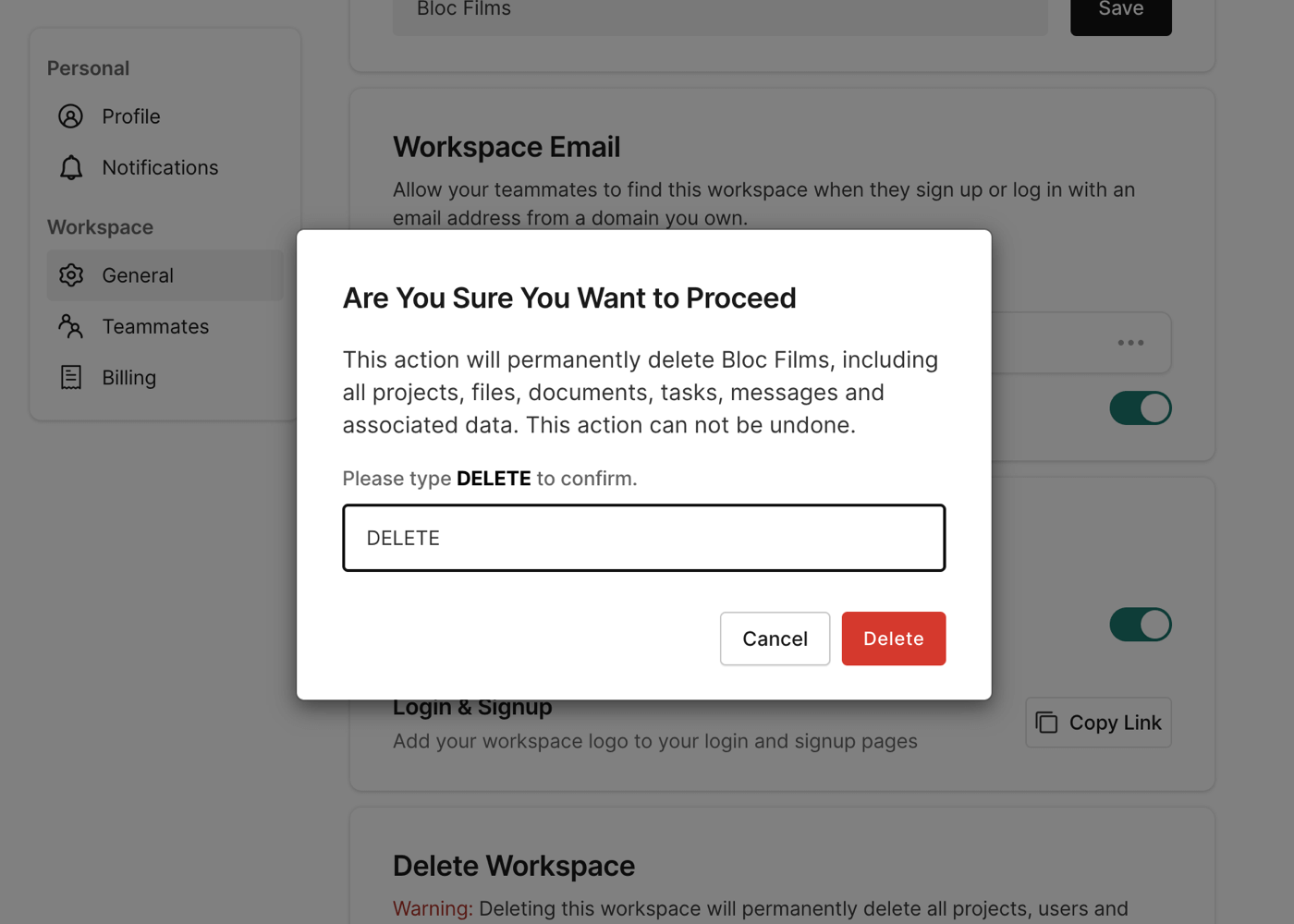
IMPORTANT: Deleting a your workspace will permanently delete all of your project and assets. There is no way to recover a workspace once it has been deleted.
If you're interested in learning more about our different subscription types, click here.