

Deleting a Project
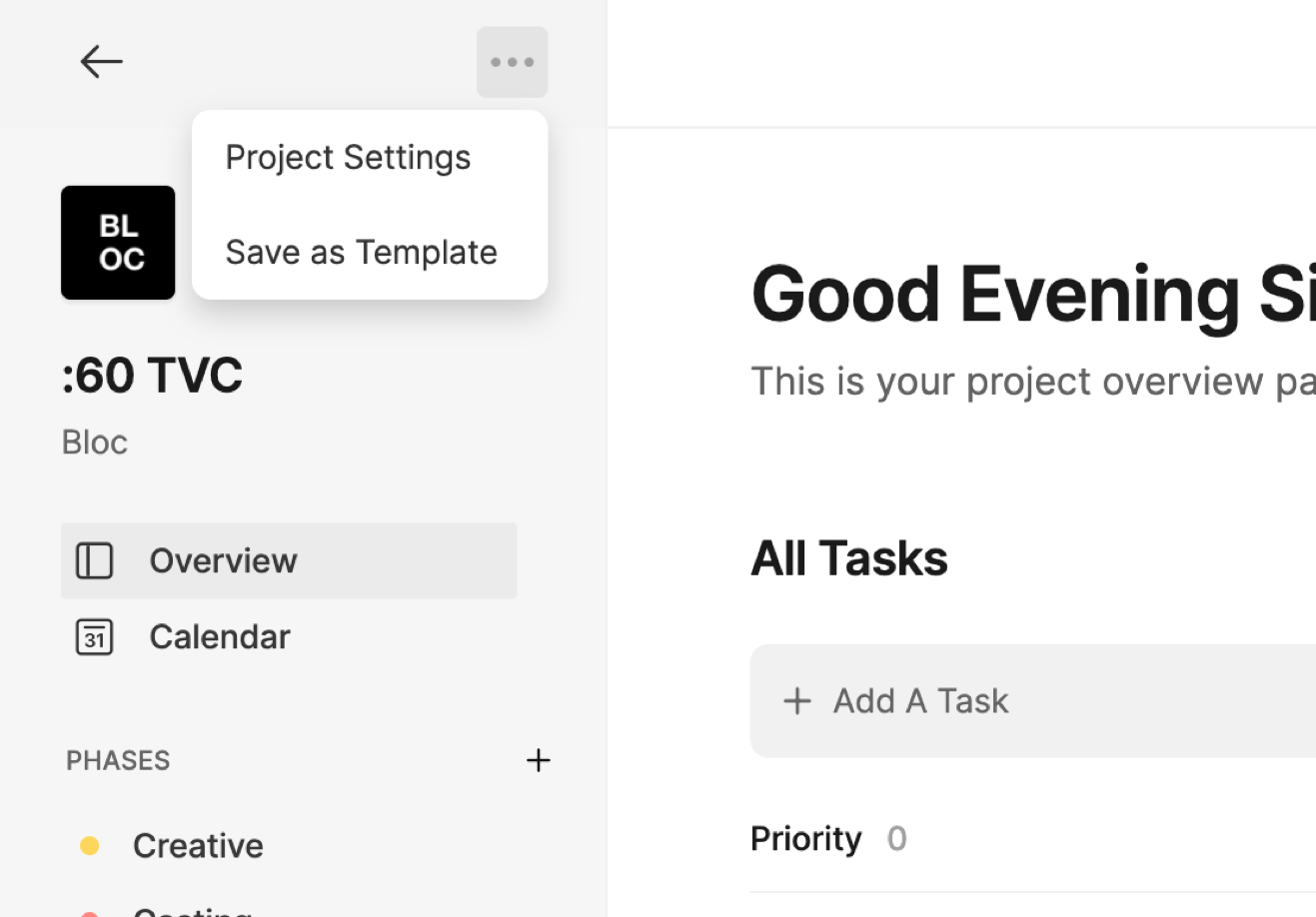
To delete a project permanently, click the Three-Dot Menu at the top of the sidebar and select Project Settings.
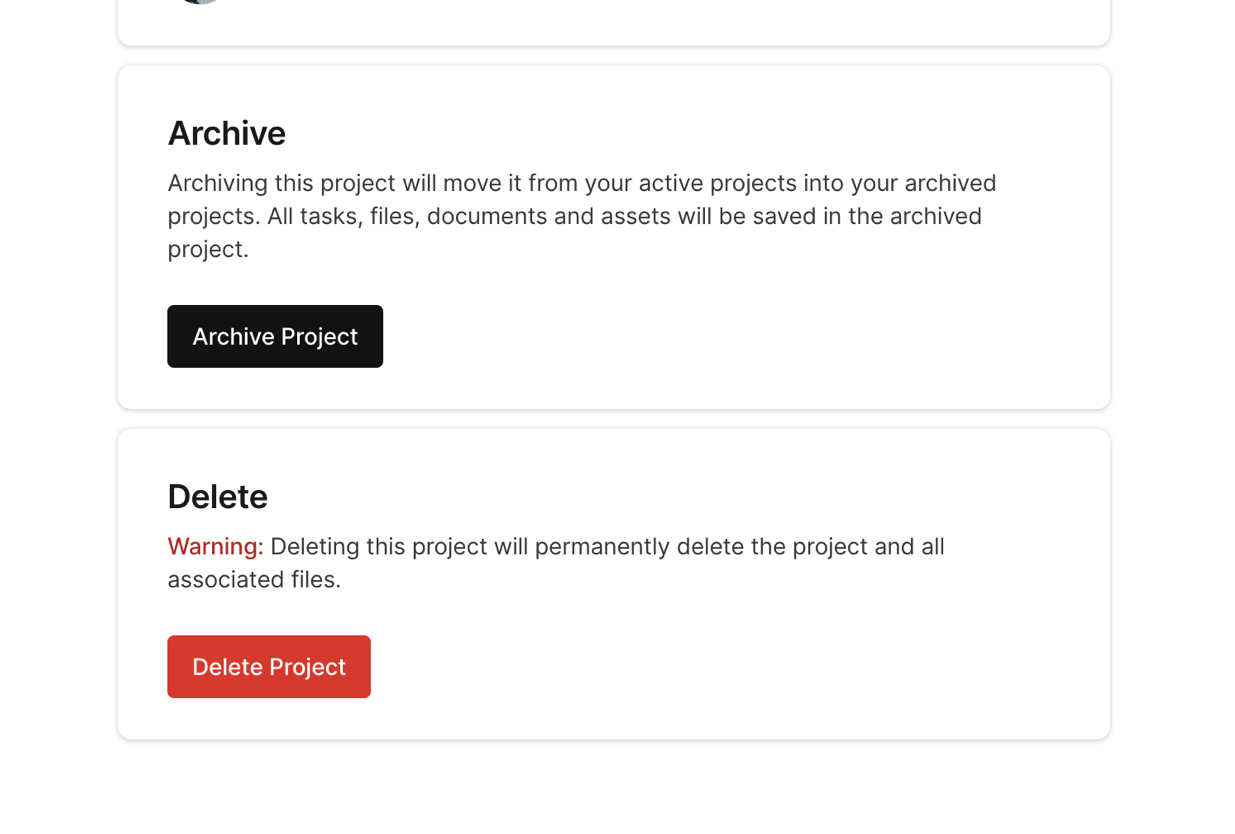
Next, scroll down to the bottom of the page and click the Delete button.
You will be prompted with a warning before deleting the project. Type DELETE and then click Delete to permanently delete this project.
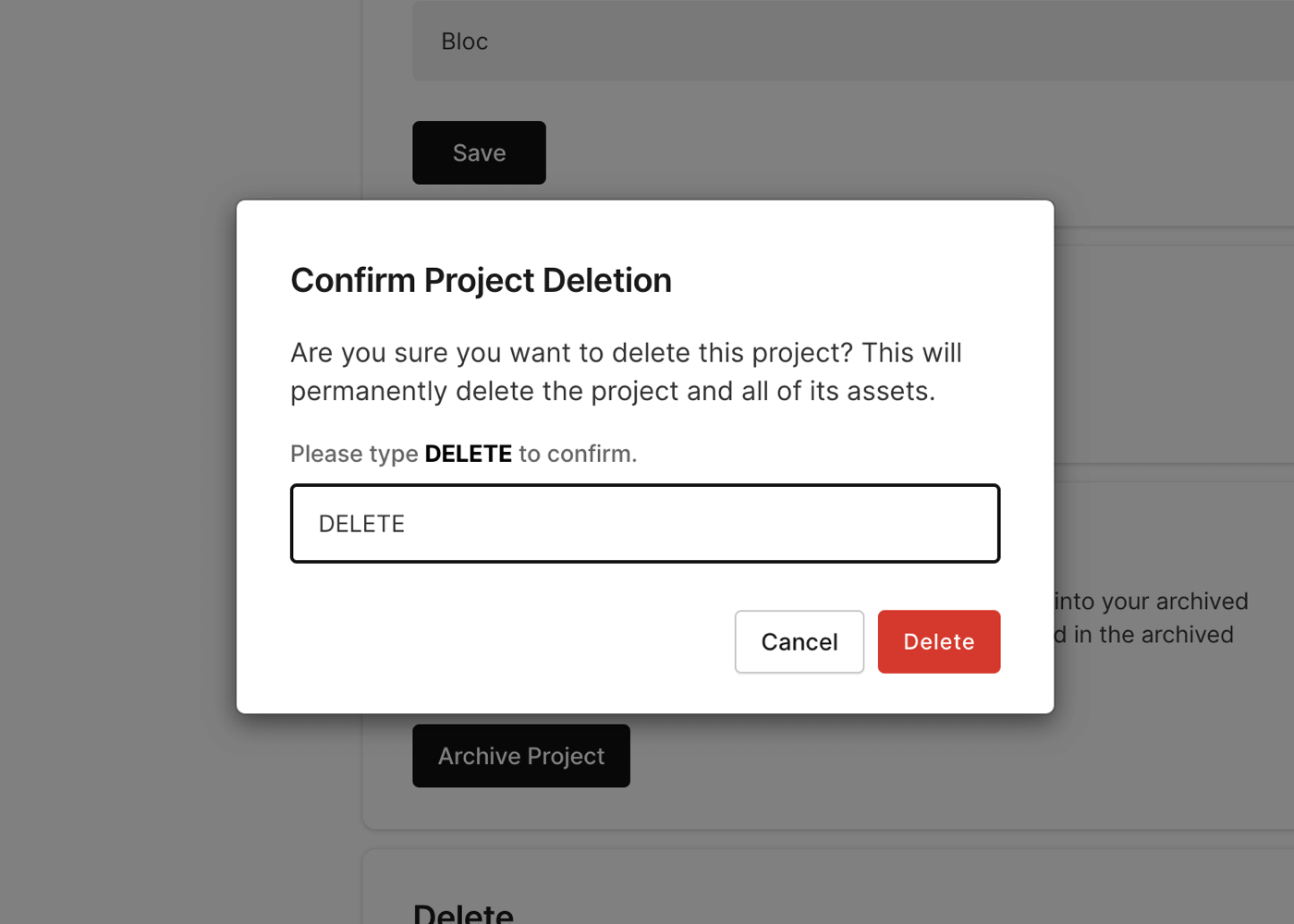
IMPORTANT: Deleting a project will permanently delete the project and all of its assets. There is no way to recover a project once it has been deleted.
To learn how to archive your project instead, click here.