
Understanding Assemble's Pricing Plans
A comparison of our different pricing plans.
Overview
Assemble enables you to collaborate with your co-workers, collaborators and external users such as clients and freelancers in a simple, seamless way.
For our workspaces, we offer two tiers:
Starter: Great for freelancers and small teams who need basic collaboration tools
Pro: Great for creative companies and teams who need access to all of our features
No matter which tier you select, you will have the option to invite two types of users to join your projects:
Teammates: Paid users who have access to all of the features in your workspace
Guests: Free users who can access a limited set of features within your projects, such as reviewing assets, leaving feedback and uploading files.
To see all of the capabilities of teammates vs. guests, click here.
Plan Comparison
Below is a side-by-side comparison of all of the features in Assemble based on which plan you select.
Features | Starter Plan | Pro Plan |
|
|
|
Workspace |
|
|
Projects | Unlimited | Unlimited |
Storage | 100GB | 500GB |
Storage Add-Ons | Yes | Yes |
Custom Branded Login Screen | No | Yes |
Custom Branded Emails | No | Yes |
Organize Projects by Folders | No | Yes |
Shared Company Templates | No | Yes |
|
|
|
Guests |
|
|
Free Guests | Unlimited | Unlimited |
Guest Teams | 1 | Unlimited |
Private Feedback Threads | 1 | Unlimited |
Guest Team Logos | No | Yes |
|
|
|
File Sharing |
|
|
Unlimited File Sharing | Yes | Yes |
Manage Download Permissions | Yes | Yes |
Password Protected Sharing | No | Yes |
|
|
|
Calendars |
|
|
Share Calendar Review Links | Yes | Yes |
Private Tasks | No | Yes |
Lock Calendar | No | Yes |
Password Protected Sharing | No | Yes |
Advanced Calendar Filtering | No | Yes |
Documents |
|
|
Create Documents | Yes | Yes |
Custom Text Widget | Yes | Yes |
Map Widget | No | Yes |
Weather Widget | No | Yes |
To learn more about individual features listed here, check out our Help Library.
How to Change Your Plan
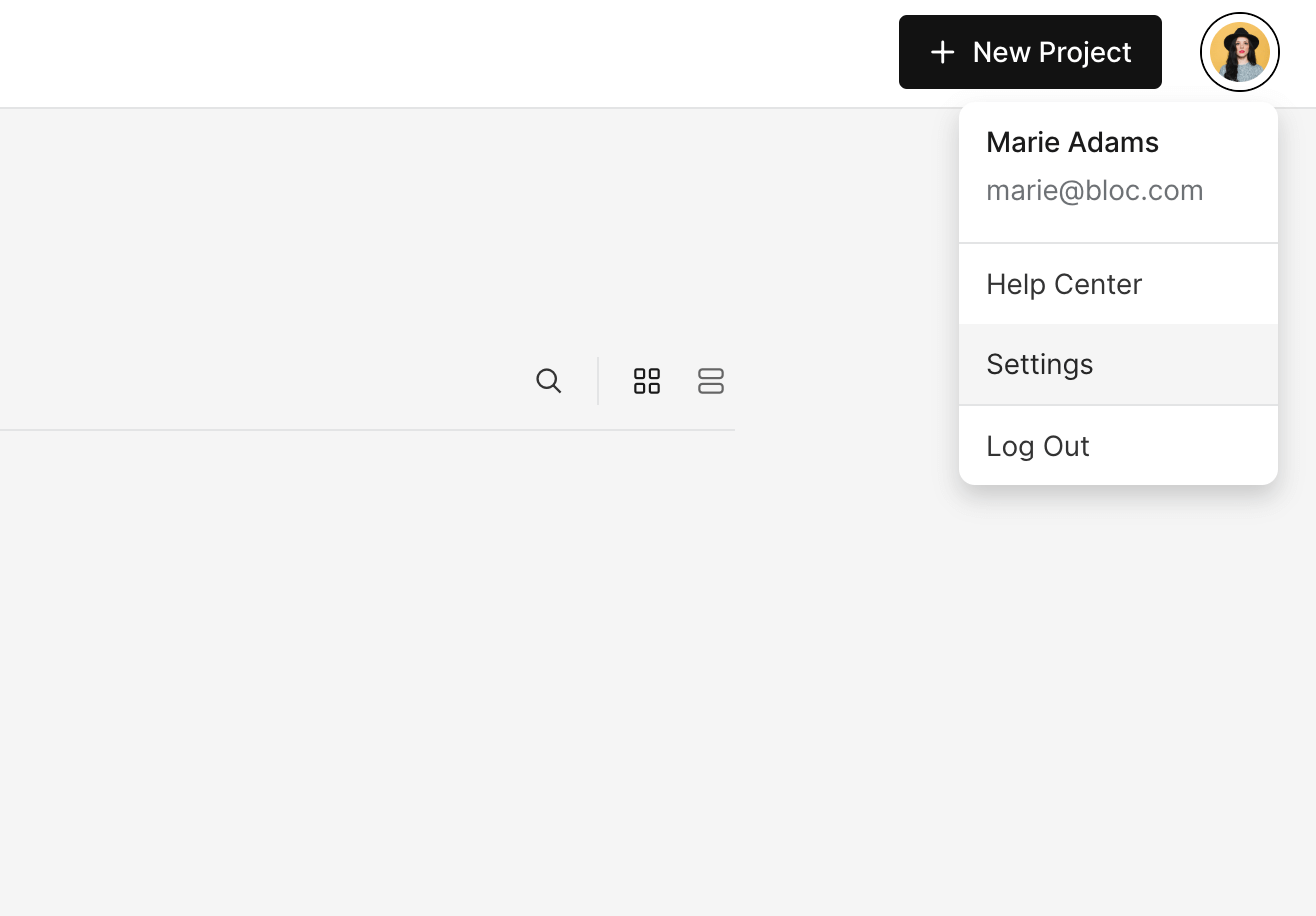
To change your plan, navigate to your Projects dashboard and click the Profile icon at the top right, then select Settings.
Next, select Billing and click Manage Plan.
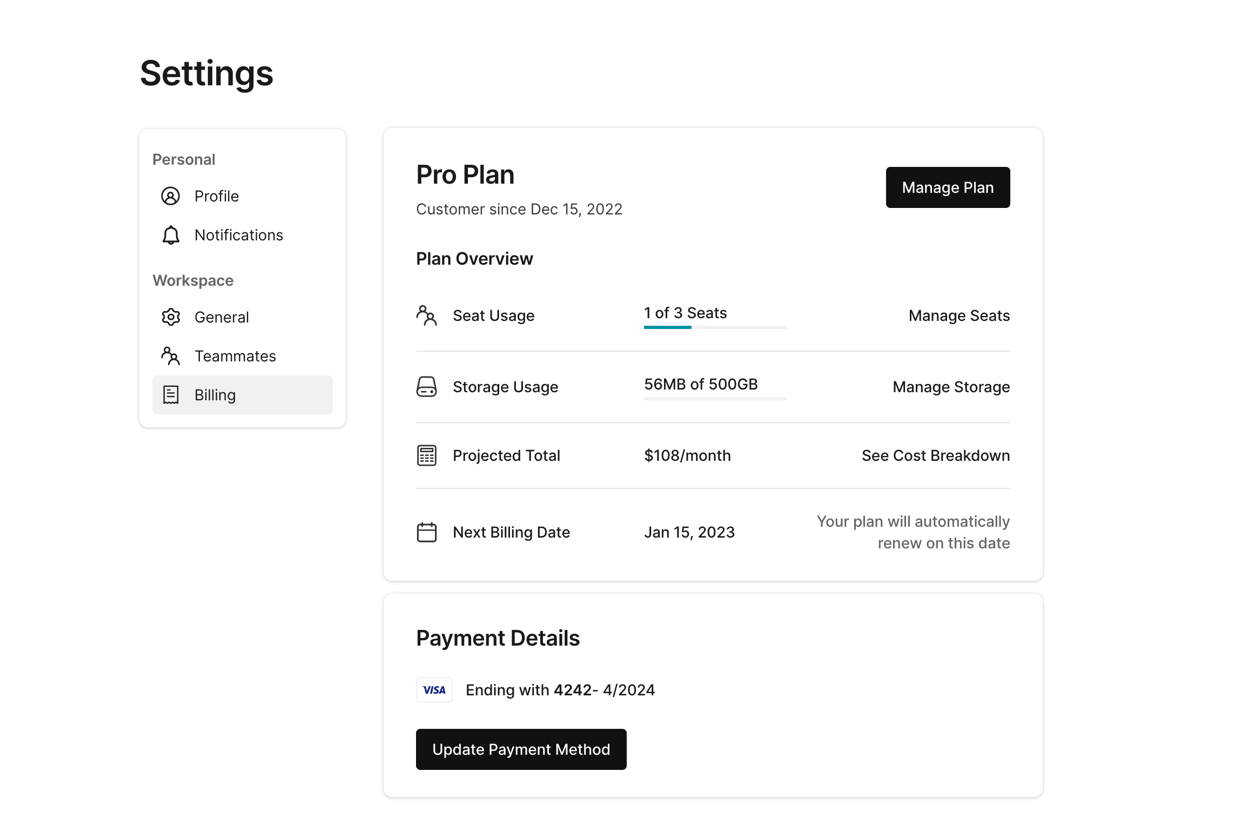
From here, you will be able to select either the Starter or Pro plan for your account.
To learn how to add more seats to your account, click here.